Starting price
Free plan
Budget tier
Budget-friendly
Complexity
Intermediate
Integrations
80+
Best for
Privacy-minded and developer teams that want customizable, self-hostable scheduling.
Overview
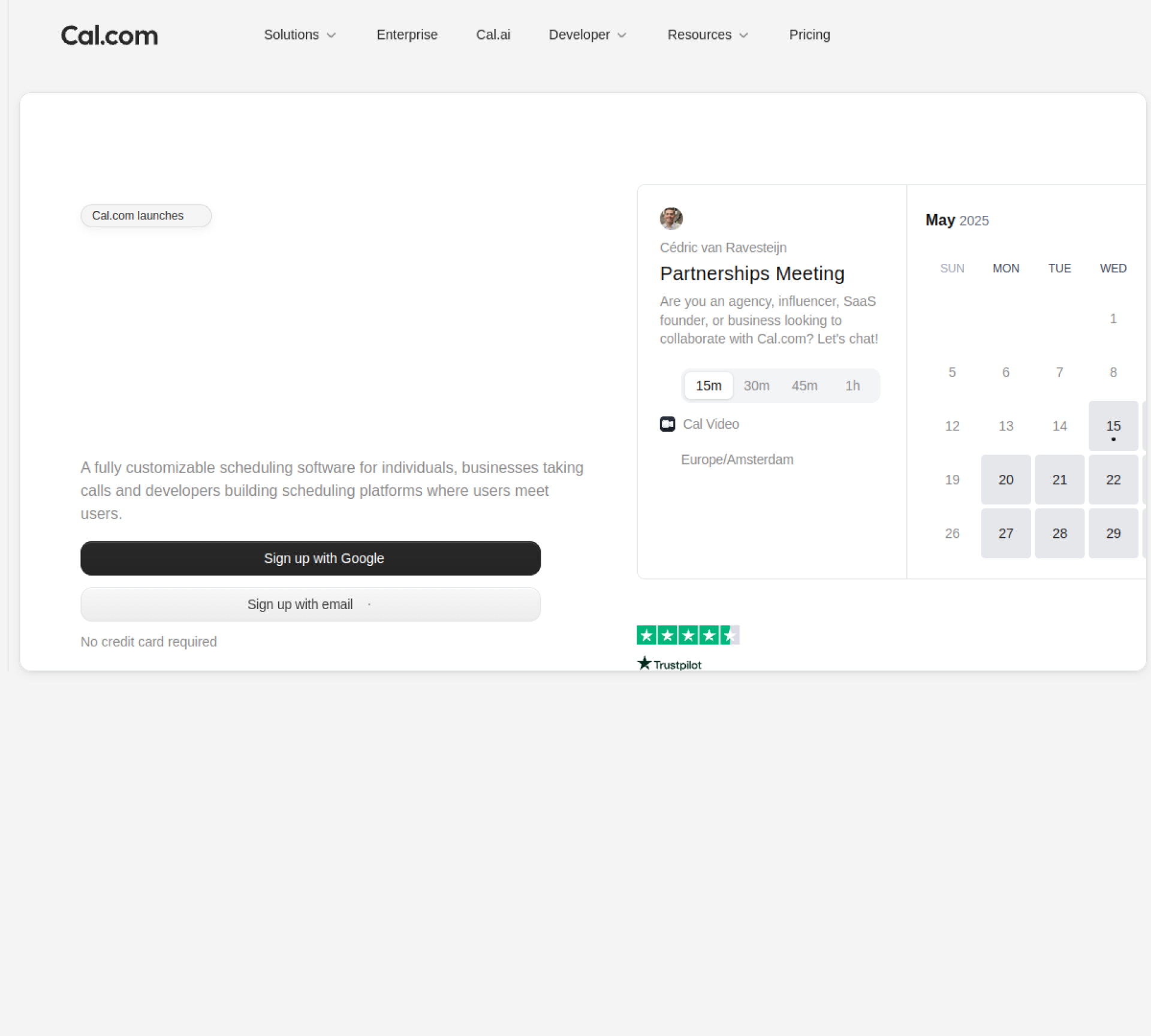
Cal.com is the open-source alternative to Calendly: self-hostable, fully customizable, and developer-friendly, with routing, round-robin, and an API-first design. It suits teams that want control over scheduling and data.
Founded in 2021 and based in San Francisco, CA, Cal.com competes in the meeting scheduling category. It is approachable, with a short learning curve, and it sits at the affordable end of the market (Free plan). In practice, Cal.com is best for privacy-minded and developer teams that want customizable, self-hostable scheduling.
A scheduling tool removes the friction between interest and a booked meeting. For outbound, reps drop a personal booking link into emails so prospects self-serve a time; for inbound, the tool qualifies and routes web leads to the right rep instantly. Either way, the win is capturing buyer intent before it cools.
Key features
Here is what Cal.com brings to the table, and what each capability means in practice.
Personal booking pages
Shareable booking pages let prospects pick a time from your live availability with no email back-and-forth. Removing that friction measurably increases the share of interested leads who actually get on the calendar.
Calendar sync
Two-way calendar sync reflects your real availability and writes new meetings back instantly, preventing double-bookings. It keeps every booking link accurate even when your schedule changes minute to minute.
Round-robin distribution
Round-robin distribution shares inbound meetings fairly across a team based on rules you set. It ensures leads are spread evenly and that no prospect waits on a single overloaded rep.
Form & lead routing
Qualifies inbound form fills and routes each lead to the right rep by territory, size, or account ownership in real time. Speed-to-lead is decisive on inbound, and instant routing is what makes booking-on-the-form possible.
Automated reminders
Automated email and SMS reminders nudge both sides before a meeting. Cutting no-shows is one of the highest-ROI things a scheduling tool does, since every missed meeting is a wasted slot and a lost opportunity.
Group / collective events
Group and collective event types handle panels, multi-host demos, and meetings that need several people in the room. It removes the manual coordination that usually surrounds anything beyond a one-to-one.
CRM integration
Tight CRM integration logs every call, text, and outcome against the contact automatically. Reps never have to remember to record activity, and the data stays clean enough to actually report on.
Payment collection
Built-in payment collection lets you charge for a session at the point of booking. For consultants and paid services, capturing payment up front also dramatically reduces no-shows.
Free plan
A genuine free plan lets you trial the core product on your own data before committing budget. It lowers the risk of adoption and is a good sign a vendor is confident in the product.
API & webhooks
An API and webhooks let teams automate workflows and pipe data into their own systems and dashboards. For RevOps teams, this is what makes the tool a building block rather than a silo.
Who it's for
Cal.com is built for solo founders and individual reps, startups and mid-market teams. It is a particularly strong fit for privacy-minded and developer teams that want customizable, self-hostable scheduling, and reps will find it approachable, with a short learning curve.
It is less of a fit in a few cases. It may be more than solo users with very basic needs require, and if self-hosting needs technical effort is a dealbreaker for you, it is worth weighing against the alternatives before committing.
Typical users include AEs sharing booking links to cut scheduling friction, demand-gen teams routing inbound demo requests, and customer teams booking onboarding and review calls.
Integrations & ecosystem
Cal.com connects with around 80+ tools, including Google Calendar, Outlook, Zoom, HubSpot and Stripe. That matters because a sales tool is only as useful as the rest of your stack: the tighter it plugs into your CRM and workflow, the less manual data entry your reps do and the cleaner your reporting stays.
An open API and webhooks mean Cal.com can also be wired into custom workflows, internal dashboards, and the rest of your data stack, which is what RevOps teams look for when they want a tool to act as a building block rather than a silo.
Pricing & value
Cal.com sits at the affordable end of the market. Free self-hosted/open-source; paid teams from ~$12/seat/mo. The value case is strongest for the teams it is built for: when that is you, the time saved and meetings booked tend to outweigh the cost. If it is not, a lighter tool may serve you just as well for less. As always, the sticker price is only part of the story: weigh onboarding time, the tier your team will realistically land on, and any add-ons before comparing it against the alternatives.
Strengths & limitations
On the strengths side, Cal.com stands out for a few reasons: open-source and self-hostable for data control; highly customizable and API-first; and round-robin, routing, and team features.
The trade-offs are worth knowing before you commit: self-hosting needs technical effort; younger than Calendly; and polish varies vs incumbents. None of these are necessarily dealbreakers, but they are the points to pressure-test during a trial.
The bottom line
Cal.com delivers open-source scheduling infrastructure, and it earns its place across solo founders and individual reps, startups and mid-market teams. The standout reasons to pick it are clear, open-source and self-hostable for data control chief among them, while the main thing to weigh is that self-hosting needs technical effort. If that trade-off fits your situation, Cal.com is well worth a trial.
Pros & cons at a glance
Pros
- Open-source and self-hostable for data control
- Highly customizable and API-first
- Round-robin, routing, and team features
Cons
- Self-hosting needs technical effort
- Younger than Calendly
- Polish varies vs incumbents
Features at a glance
Pricing
Free plan
Free self-hosted/open-source; paid teams from ~$12/seat/mo
Pricing verified against the vendor's site in 2026.
Frequently asked questions
How much does Cal.com cost? +
Cal.com has a free plan to start, and its paid pricing is as follows: Free self-hosted/open-source; paid teams from ~$12/seat/mo.
Does Cal.com have a free plan? +
Yes. Cal.com offers a free plan, so you can try the core product before committing any budget.
What is Cal.com best for? +
Cal.com is best for privacy-minded and developer teams that want customizable, self-hostable scheduling. It is a particularly strong fit for solo founders and individual reps, startups and mid-market teams, and reps will find it intermediate to adopt.
What does Cal.com integrate with? +
Cal.com integrates with around 80+ tools, including Google Calendar, Outlook, Zoom, HubSpot and Stripe.
What are the best Cal.com alternatives? +
Leading alternatives to Cal.com include SavvyCal, Calendly and Avoma. You can see the full list, compared side by side, on our Cal.com alternatives page. See alternatives →